
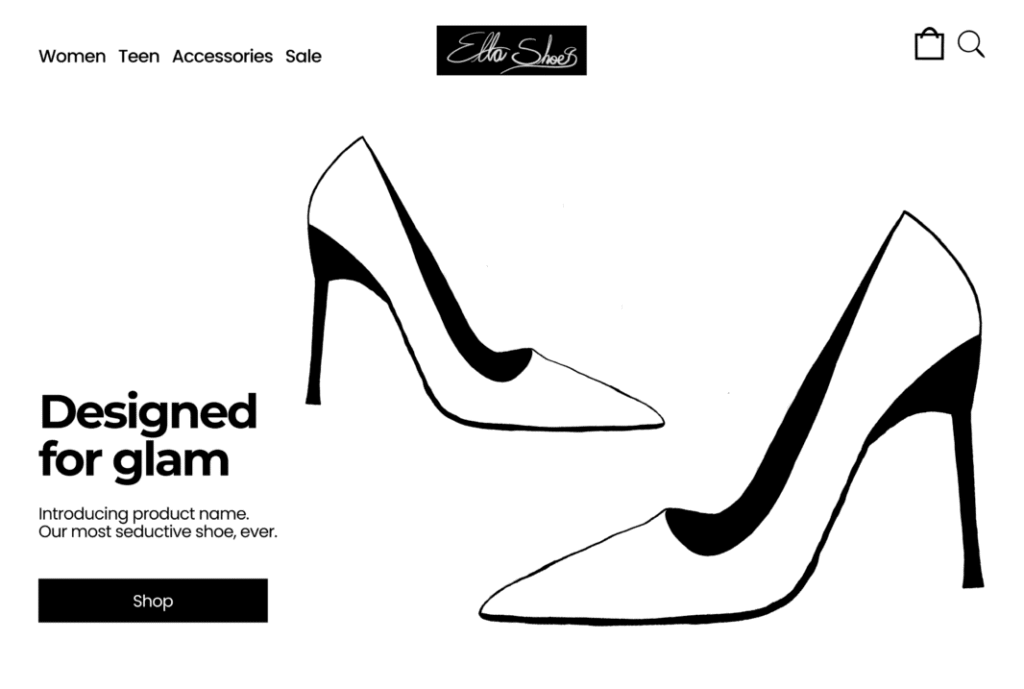
This case study explores the design of a responsive e-commerce homepage, focused on improving product discovery, simplifying navigation, and creating a seamless user entry experience across mobile, tablet, and desktop.
The homepage is one of the highest-impact pages in an e-commerce experience and can determine within the first 5 seconds whether a viewer will convert to a customer. It shapes first impressions, guides navigation, and influences how quickly users find relevant products. It also receives the highest traffic across the entire site. When executed correctly, it is an easy experience. The goal is to create an intuitive and frictionless experience where users can immediately understand the brand, explore products, and take action without confusion.
Goals of the Homepage
Designing quality user experiences requires alignment between brands and their clients. For this reason, this homepage aims to meet the following goals effectively:
- Enable quick product discovery: Users want to know within the first 5 seconds of landing what action to take on a flagship product. The visual and copy speak towards this purchase without adding complications. Many users land on the homepage from an AI search query or a marketing campaign. They are considering a purchase, and complications can disrupt this. The user finds the latest product immediately and feels the brand knows their heart. The language speaks to their specific purchase trigger, then provides a link to fulfill it.
- Reduce decision fatigue: Users often arrive at a homepage after multiple decision points. This design reduces cognitive load and encourages a feeling of “relief.” A clear navigation menu helps users move through the site intuitively. Multiple high-level product information pieces simulate the shopping rack experience.
- Highlight key categories: User see categories right away to answer their initial browsing question, “What am I looking at?” Users know what they’re seeing without extra mental work and make faster purchase decisions.
- Support browsing across devices: A smooth browsing experience across devices gives a professional impression and reduces traffic loss. This design focuses on the same ease of use across mobile, tablet, and desktop screens.
- Create a clear visual hierarchy: The homepage tells the brand story with a visual hierarchy of information. The header determines what the site is, what the brand offers, and how to take action. After this, a customer asks, “What is the latest product?” then ” What else do you have?” and finally, “What are the hottest products?” If the user is impressed, they want to connect to the brand to repeat the experience.
- Increase basket size: This homepage gives users enough information to add multiple items to the cart by displaying certain key items with prices.
When these goals are mapped, a user creates a positive association with the brand. This is the biggest target for a successful user experience.
Homepage Structure
Marketing taught me to think like the client. I live in the user’s mind and answer their questions through the following homepage structure:
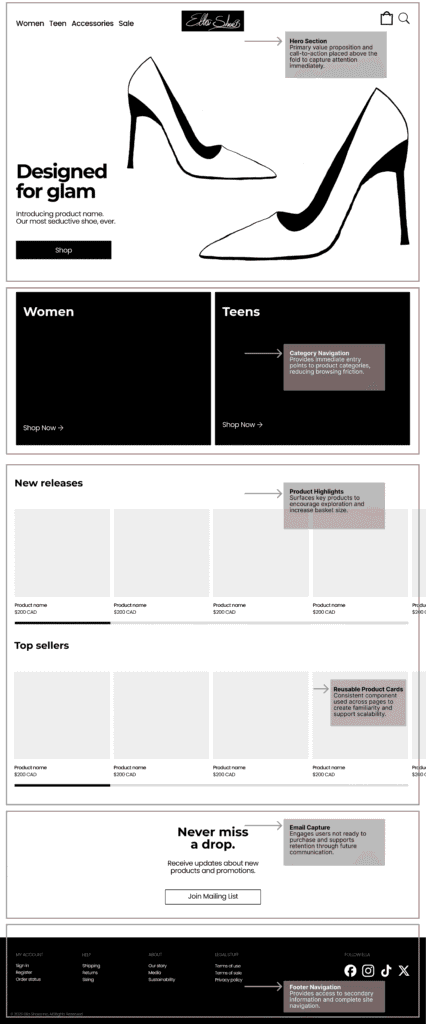
- Hero section (value + CTA): This is the “above the fold” principle from print journalism. A strong hook that answers the who and what questions. The wireframe weaves marketing in with strong value-informed language and a simple CTA.
- Category navigation (Women / Teens): The flagship item is the hook that impresses users and captures attention. They think, “Well, if this is what their newest release is, what else do they have?” Here, an entry point gives an overall answer of what they can expect to browse through. This mirrors real-world retail navigation, where clear category segmentation helps users quickly orient themselves and reduce browsing friction.
- Product highlights (New releases, Top sellers): This encourages a larger basket size by featuring other new items or products clients love. Naturally, consumers want novelty and human recommendations over brand messaging.
- Email capture: A simple capture for users who aren’t yet ready to purchase. They need more encouragement and reminders of the product value. Email capture with simple value-driven language does the job.
- Footer: This is displayed across all pages of the website and includes everything a user might want. This is the brand’s comprehensive navigation system.
The homepage structure is intentionally kept simple, effective, and short. Overcrowding confuses users and creates negative feelings. The homepage is designed to give the brand a strong point of entry for customers to engage and explore products. The longer a customer explores, the larger the basket size.
Key UX Decisions
An effective user experience requires key decisions to guide the user through their experience. Here are the decisions made for the homepage:
- Why are categories prominent?
The user is asking, “What else do you have?” Categories answer that and simplify the browsing entry point. Customers in a physical store head to categories that include products specifically for them. After this, they seek further product breakdowns, such as sales. Online shopping search queries often look for specific “women’s shoes,” or similar, and the homepage answers this within seconds. The user is guided easily towards what they want. - Why are product sections repeated?
Users browse select products without additional work. This encourages larger basket sizes and displays products that align with interests. - Why is the layout minimal?
Less is more when it comes to user experience. Too many options create decision fatigue. This minimal design guides a user easily towards a purchase decision. - Why CTA is placed early?
Most users don’t scroll past the hero section. The image, headline, and CTA are designed to capture attention. The hero section maximizes this grab and offers the next step.
The best user experiences come from strategic thinking, like the architect who creates an amazing building. This homepage is easy for the user to navigate and repeat. The goal is to create an experience so intuitive that users don’t notice the design decisions behind it.
Responsive Design Approach
I adjust the design based on what works on different screen types.
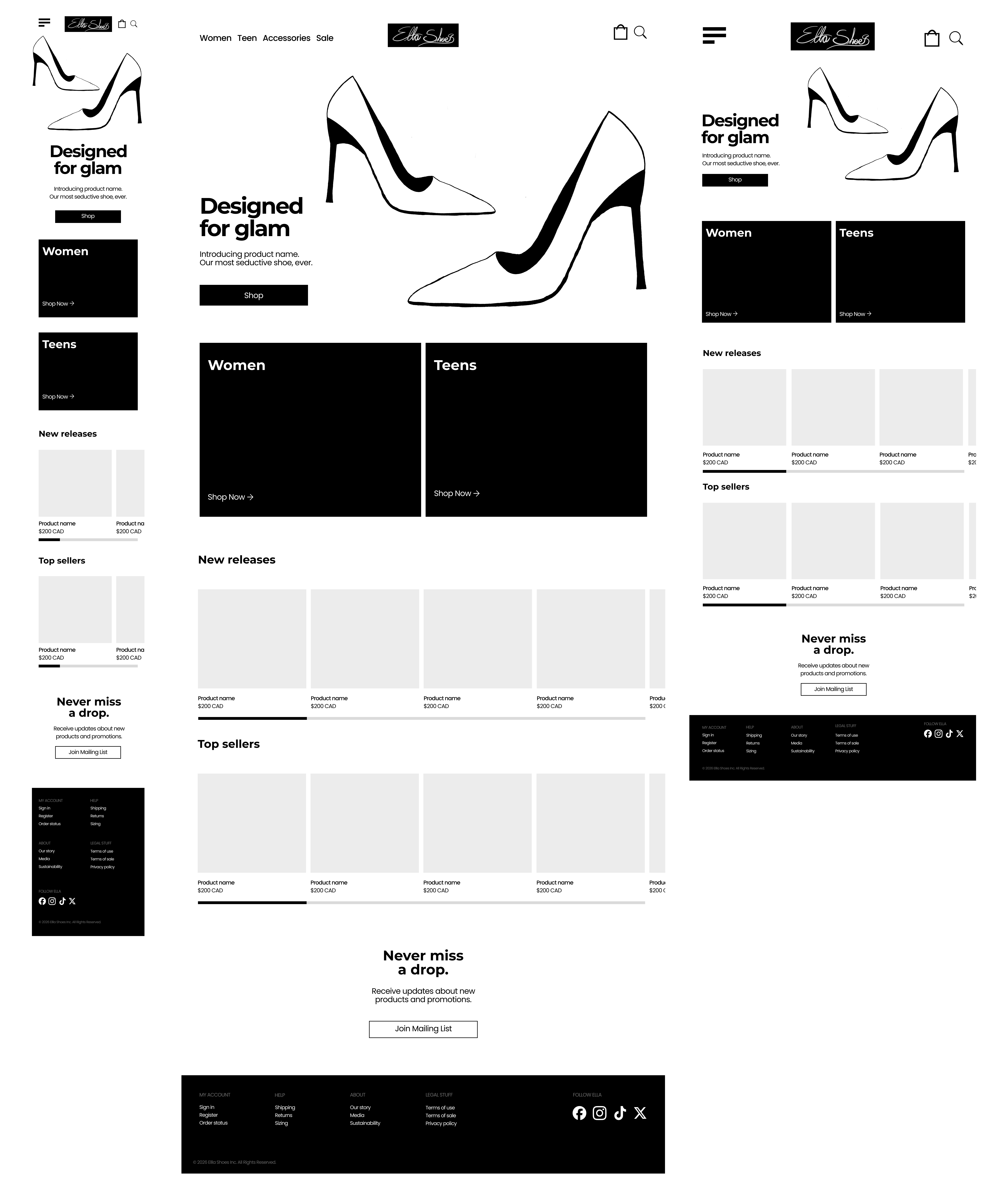
- Mobile → stacked, scroll-based: A mobile screen has limited viewing space. The design is stacked, a hamburger menu is used, and products are placed in carousels to save real estate and maximize impact. A side-by-side layout would reduce clarity and usability on smaller screens.
- Tablet → grid balance: The tablet screen is a hybrid between desktop and mobile. There is more space to place items side-by-side, to reduce scrolling. Items are large enough to be legible without stacking.
- Desktop → spacing + hierarchy: Desktop allows for side-by-side design. This reduces scroll. Design hierarchy is used to create an easy shopping experience.
The same design principles are applied across the screen sizes.
Design System Thinking
The homepage introduces users to the brand. It gives them the language they can expect and the feeling they will repeat. A design system is used to create a cohesive experience across multiple touchpoints.
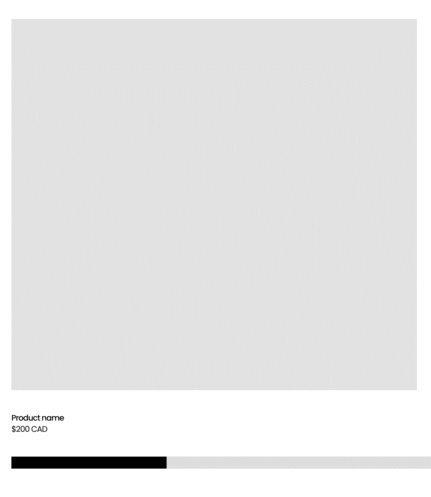
- Reusable product cards: These components are designed for consistency across the website experience. They can be reused on shop pages, product recommendations, and “similar items” sections, ensuring users recognize patterns and familiarly interact with products.
- Section patterns: Repeating layout structures are used to guide users through the page predictably. Each section follows a consistent format, allowing users to scan content without needing to relearn how information is presented.
- Layout rhythm: The homepage uses consistent spacing, alignment, and visual hierarchy to create a natural flow. This rhythm makes the experience feel calm, organized, and easy to navigate, reducing cognitive strain and improving overall usability.
Random one-off design pieces create chaos and confusion for the user. The goal is to deliver a consistent brand feeling across the board.
Scope Note
In this project, I focus specifically on homepage UX and do not include inner product or checkout flows. My goal was to explore how users enter and navigate an e-commerce experience from the first touch point.
What I Would Expand Next
Following the layout principles outlined in the Homepage, I would build the remaining user touchpoints as follows:
- Product listing pages: Reuse product cards from the homepage to display full product inventory. Include a numbered navigation for pages or “load more” for infinite scroll. The listing page will need a sticky header and sidebar.
- Product detail pages: Product cards lead to the detailed product page. Product name, larger image section featuring multiple views of the product, and more details. Comprehensive product details include a description paragraph, who it’s for, materials, price, style options, an add to cart button and anything else the brand wants to include. Above the footer, carousels of recently viewed products and similar products.
- Cart/checkout flow: Header always shows cart icon with numbers corresponding to items added. Users finalize the product and quantities, then use the checkout button. The checkout page includes a form for customer details, shipping details, payment details, and a confirmation button. Payment method options flow into the payment methods accepted by the brand.
- Filtering and sorting: The shop pages feature a sidebar to sort and filter products based on categories, colours, sizes, and prices.
These can finalize the basic pages for an e-commerce website. Additional wireframes may be created based on the brand’s marketing decisions. These include blog page, individual posts page, about page, careers page and more.
Key Takeaways
- Strong homepage UX reduces decision fatigue and improves conversion potential.
- A clear information hierarchy helps users navigate quickly and intuitively.
- Responsive design ensures a consistent experience across devices.
- Strategic content placement increases product visibility and user engagement.
Tools Used
These are the tools I used: Figma for wireframing and Procreate to build custom assets from scratch.
Interested in working with me? Contact for details.
Explore the Wireframe
Explore the full responsive wireframe below.